Tranzlix
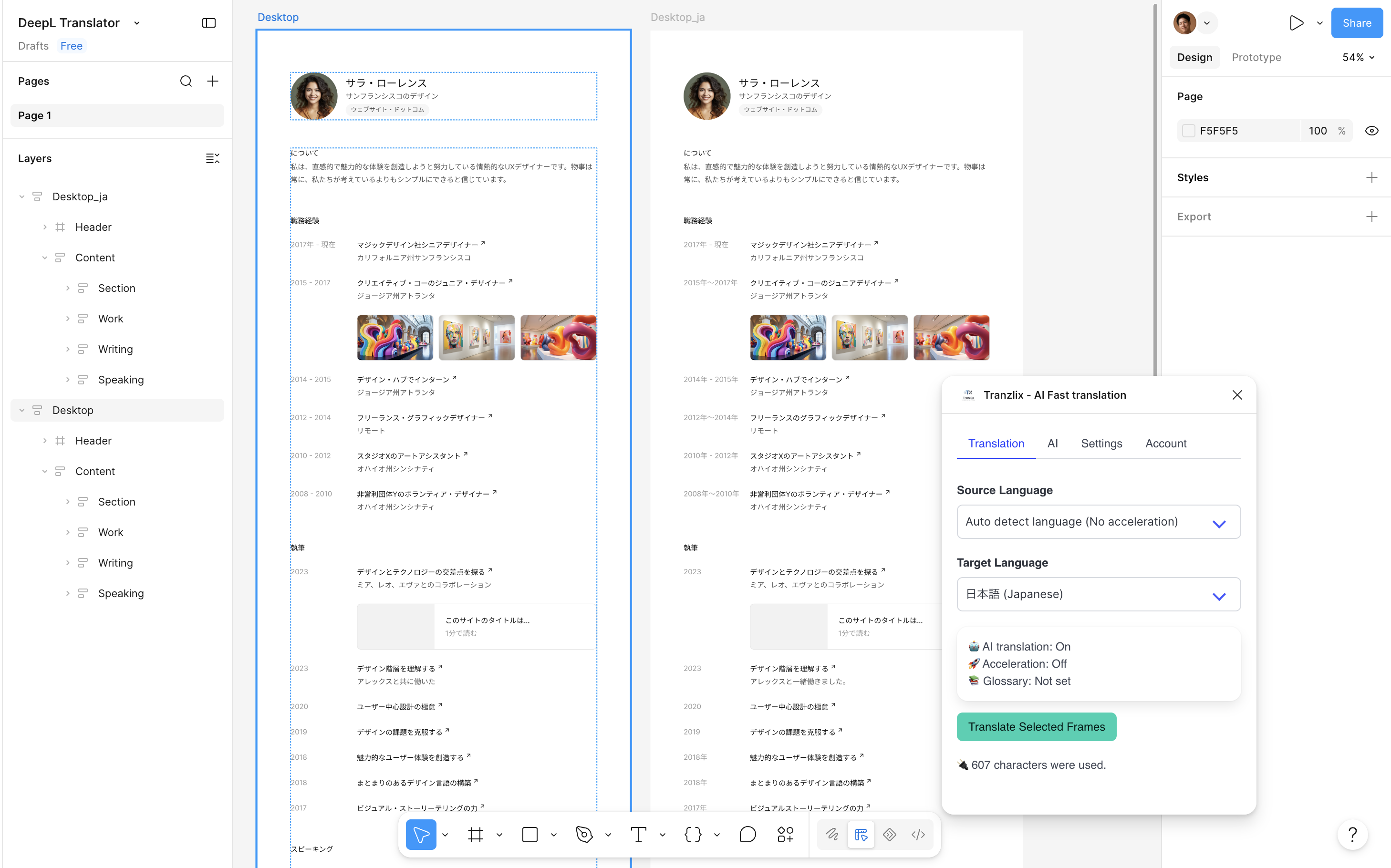
A Figma plugin that uses AI to translate design text quickly and consistently. In dedicated AI settings, combine tone and style presets with additional instructions to fine-tune translation style and rules. Translation Acceleration enables even faster translation.
Features
Translation Acceleration
Saves past results locally and reuses them — faster and fewer characters when the same text appears again.
AI Translation
Tone and style presets plus custom instructions to steer translation style and rules.
Cost / Character Saving
Fewer API translations when history hits.
120+ Languages
Broad language coverage for UI localization workflows.
Glossary Support
Keep terminology consistent across translations.
Choose how translations are applied
Duplicate Frames / Sections (non-destructive), or Replace Texts (destructive).
Favorite Languages
Show only frequently-used languages in dropdowns.
Plugin UI Language
Change and save the plugin UI locale.
Plugin Demo
See Tranzlix in action
Install from Figma Community, pick languages, select a frame, and translate — with glossaries and acceleration for repeat work.
Pricing Plans
Choose the plan for your translation needs
Paid plans can be purchased from within the plugin. Cancel anytime.
Free
$0/ per month
- 1,000 characters per month
- Data Security
- No Sign Up required
- 1 Glossary (auto-delete)
Starter
$1/ per month
- 20,000 characters per month
- $0.5 per 10,000 characters
- Data Security
- 1 Glossary
- Prioritized execution
StandardRecommended
$4/ per month
- 100,000 characters per month
- $0.4 per 10,000 characters
- 2 Glossaries
- Data Security
- Prioritized execution
Pro
$10/ per month
- 300,000 characters per month
- $0.33 per 10,000 characters
- 3 Glossaries
- Prioritized execution
- Advanced features
FAQ
Frequently Asked Questions
- Will I be automatically charged after the free period ends?
- No, there is no automatic billing. You need to manually subscribe to continue using paid features.
- What is Translation Acceleration?
- It saves translation history locally in your Figma browser data and reuses previous translations, reducing character usage and speeding up repeated translations. History stays on your device, not on Tranzlix servers.
- Where is my glossary data stored and is it secure?
- Glossary data is stored on the translation service provider's encrypted servers, not in Tranzlix's database. Data is isolated per user and protected with HTTPS in transit.
- What personal information do you collect?
- We only collect minimal information necessary for service operation: your Figma User ID for authentication and session information. We do not collect or store your design data or content from your Figma files.
- What languages are supported?
- Tranzlix supports 30+ languages including English, Japanese, Chinese (Simplified & Traditional), Korean, German, French, Spanish, Italian, Portuguese, Russian, and more.
- Can I cancel my subscription at any time?
- Yes. You'll continue to have access until the end of your billing period.
- How do I cancel my subscription?
- Navigate from "Check Price" to "Manage Your Subscription" in the plugin to open the Stripe subscription page. Contact support if you need help.
Contact
If you need help starting a subscription or technical support, please feel free to contact us.